How to Add Local Schema to a WordPress Website
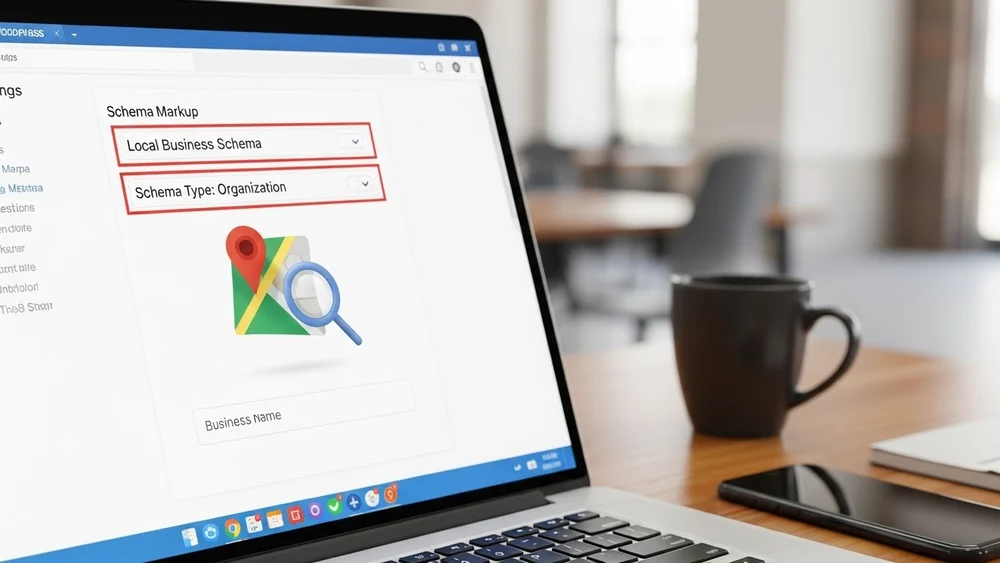
Let’s get real. You’ve put a lot of work into your wordpress website, but when someone searches for what you do, your competitors show up on google maps instead of you. It’s like there’s a catch—and that catch is usually missing Local Schema WordPress.
The thing is, search engines aren’t some all-knowing entities that magically “see” your shop. They’re actually just computers trying to make sense of the data you give them. And if you aren’t adding local business schema, you’re basically invisible to them.
But don’t worry, we’ve got the solution – and it only takes five minutes to fix.
Your Secret to Conquering Local SEO
So, why is local schema wordpress so important? Well, for one thing, it acts as a translator that lets Google know you’re a brick and mortar business with a real physical address, a phone number, and opening hours. And that’s a big deal.
Without it, search engines just interpret your site as another page in the crowd. But with local schema, you become a local business with real identity – and that makes all the difference in getting more local customers and boosting your search engine visibility.
Schema Markup – What Makes Google Go Crazy
When we talk about schema markup, we’re talking about the specific set of schema code that Google loves. And it’s all about structured data – giving Google a clear idea of what you do and where you are.
By implementing schema markup, you stop hoping Google finds you and start telling it exactly where you are. And that’s what leads to those fancy search listings with your reviews and location right at the top.
Search Engines – What They Really Want

Search engines want to know as much as they can about your business without having to guess. If you’ve got a single location business, that’s easy peasy. But if you’ve got multiple locations, it gets a bit trickier.
By adding schema, you’re giving search engines a roadmap to follow. And this isn’t just about getting a higher ranking – it’s about local search visibility. If Google trusts your data, it will put you in front of local customers.
Local Businesses – Turning Clicks into Sales
A local business lives and dies by its local search results. When someone needs a service right now, they pull out their phone and check their results. And if your local business schema markup is on point, you’ll show up in the “Map Pack”.
But getting the click is just the beginning. What keeps the customer coming back is great social media work and professional photography/video. We always tell our clients: SEO gets you invited to the party, but your content is what keeps people interested.
Local SEO – The Power of Knowledge Graphs
Local SEO has come a long way from just keywords. Now, it’s all about the knowledge graph. By adding local business schema, you’re helping Google build a profile of your brand. You’re not just a wordpress site with a name, you’re a verified entity with a business name, business address, and all the rest.
Single Location Business – Keep It Simple
If you’ve got a single location business, you don’t need some bloated seo plugin that slows down your wordpress dashboard. While yoast seo or rank math can be great, they often overcomplicate the setup process.
Just slap a clean json ld snippet on your location page, and you’re good to go. This ensures your correct schema markup is served up every time.
Schema Plugins – Do You Really Need Another One?
You’ll see a ton of wordpress plugins claiming to be the best schema solution. Some are good, but the free version often locks the best schema types – like localbusiness schema or review schema – behind a paywall.
Instead of using a dedicated schema plugin, we just use a custom code snippet. It’s cleaner and gives you total control over your wordpress website.
Adding Schema – The Manual Way That Actually Works
When adding schema, you need to be super precise. One missing bracket and your structured data markup breaks.
Don’t rely on a schema markup plugin to do it all for you. Most free version supports only basic schema. If you want to get fancy with faq schema or review schema, you want the json ld format – that’s what Google likes.
Schema Markup Plugins – The Pros and ConsSchema Markup. Get The Right One!
If you end up having to use a schema markup plugin, pick one that doesn’t require a Google Maps API key just to display your address. Many people using the Yoast SEO plugin feel it’s enough for the basics but for more advanced schema markup, a schema generator and a bit of JSON LD code is usually the better option.
Business Information – Don’t Mess This Up!

Accurate business information is crucial – essentially, your local business info has to match up exactly across the web. Your business details on your WordPress site need to match up with Facebook and Yelp. Its consistency is what helps search engines to trust your website url.
Local Business Schema – The Rankings Shortcut
Using local business schema is basically the secret to getting an edge on search rankings. It takes your web pages and turns them into a more attractive target for relevant traffic.
JSON LD – The Only Format That Really Matters
Forget old school tags – JSON LD is the King of structured data. Its easy to read and edit and it doesn’t mess with your site’s design at all. Its the gold standard for Google’s Rich Results Test.
Search Rankings – The Final Goal
At the end of the day, we do this because at the end of the day – search rankings are what we’re after. You want to be number one. You want more local customers. Correct schema markup is the fastest way to get there.
Review Schema – Instant Trust
Nothing converts like a bunch of stars – review schema lets your 5 star ratings show up directly in Google Search Results. Its a massive trust builder before people even see your settings page.
WordPress Website – Putting It All Together
I’m not just going to tell you what to do – I’m going to give you the code – The Local Business Json LD Snippet
How to use it:
1. Install the free WPCode plugin first.
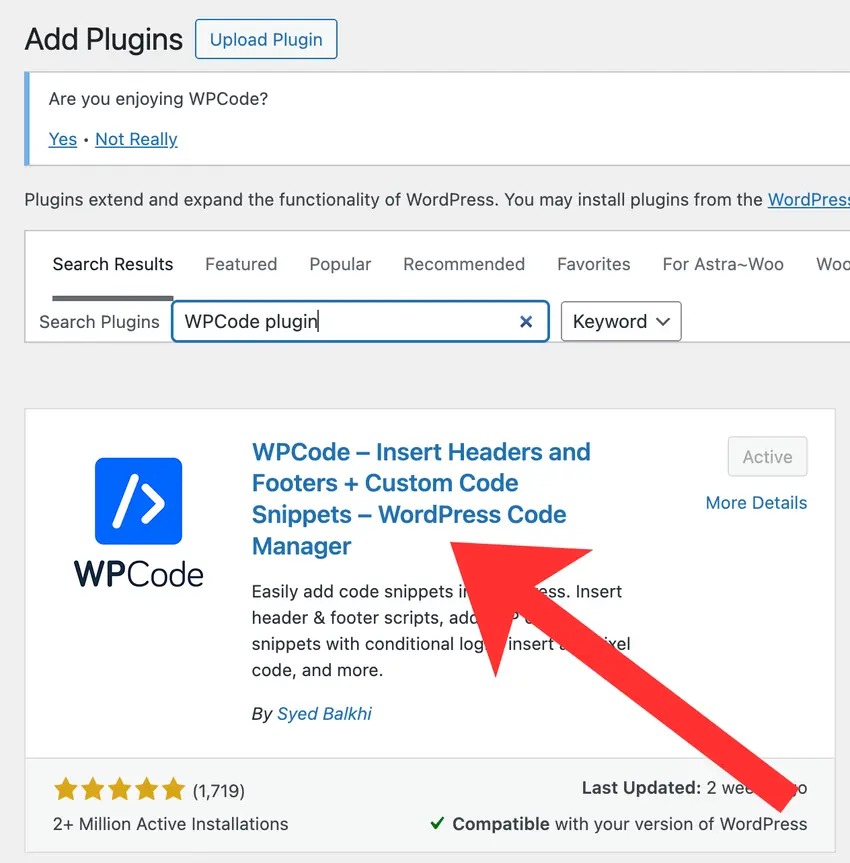
2. Go to the plugin settings, then click ‘Add Snippet’
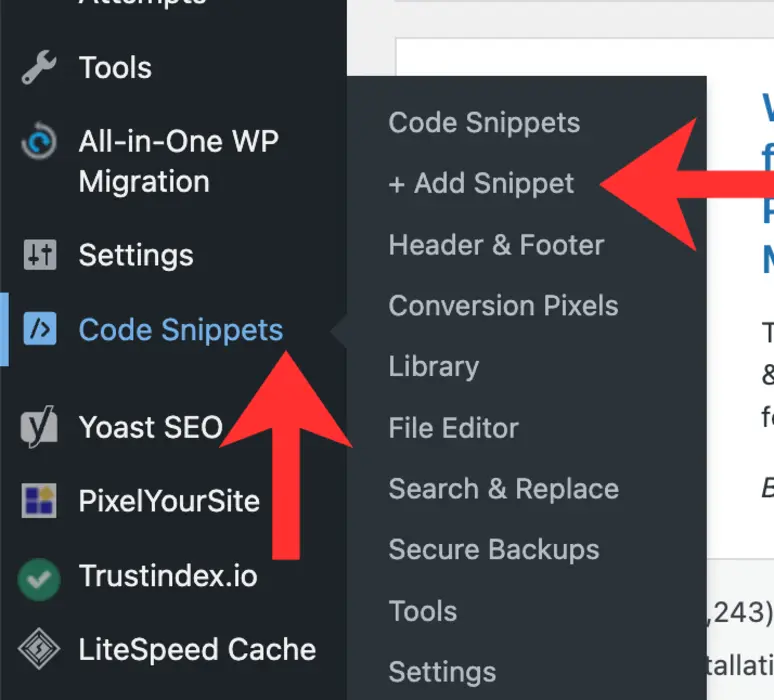
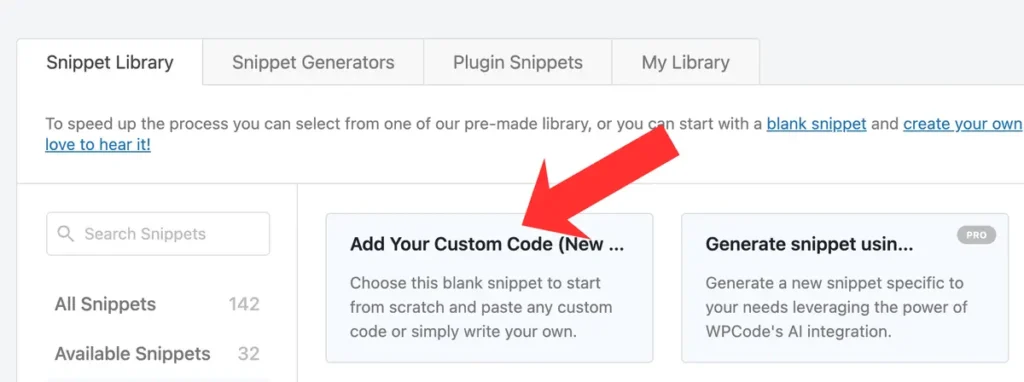
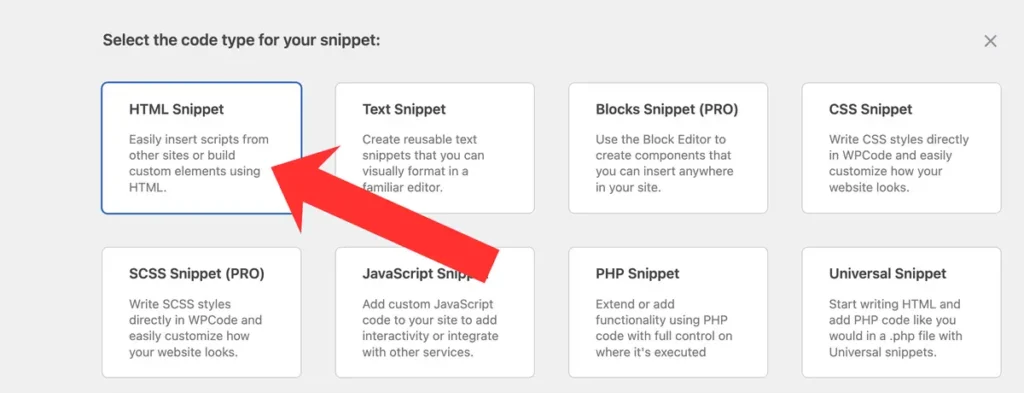
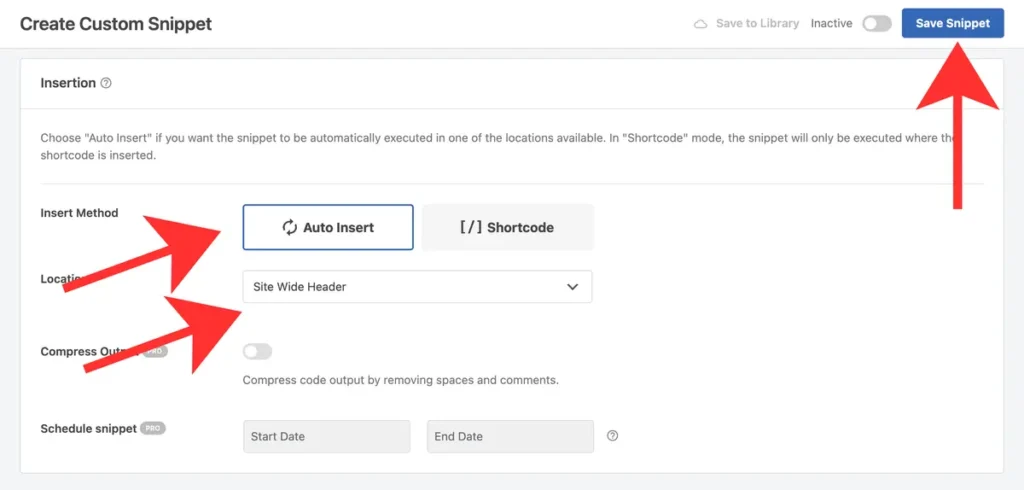
3. Next, follow the steps shown in the screenshots: click ‘Add New’, then ‘Add Your Custom Code’, and select ‘HTML Snippet’.

4. In the next step, enter any title (visible only to you), then paste your COMPLETED!!! code.
Check the settings and click ‘Save’.
<script type="application/ld+json">
{
  "@context": "https://schema.org",
  "@type": "LocalBusiness",
  "name": "NAME OF BUSINESS",
  "image": "LINK TO YOUR LOGO",
  "@id": "YOUR WEBSITE URL",
  "url": "YOUR WEBSITE URL",
  "telephone": "+ PHONE NUMBER",
  "address": {
    "@type": "PostalAddress",
    "streetAddress": "ADRESS FROM GOOGLE MAPS",
    "addressLocality": "CITY",
    "addressRegion": "REGION",
    "postalCode": "POSTAL CODE",
    "addressCountry": "COUNTY"
  },
  "geo": {
    "@type": "GeoCoordinates",
    "latitude": COORDINATES FROM GOOGLE MAPS,
    "longitude": COORDINATES FROM GOOGLE MAPS
  },
  "hasMap": "URL FROM GOOGLE MAPS - Your business page on Google Maps — copy and paste.",
  "sameAs": [
    "URL FROM GOOGLE MAPS - Your business page on Google Maps — copy and paste."
  ]
}
</script>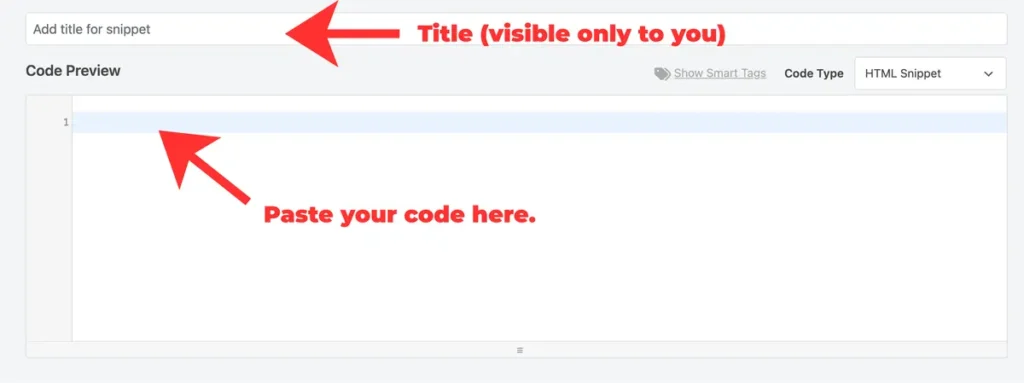
5. Afterwards, run a Rich Results Test in Google Search Console. If everything was done correctly, you should see:
‘Local business
1 valid item detected
Non-critical issues detected.’

If you have any issues with this, feel free to reach out to a Custom Web Design Company in Toronto. We’ll be happy to help you with this and any other technical issues.